

Description
🌐 Official Website | 📖 Documentation | 🧑💻 Support
FormFlow Gravity Forms Ext is a GoHighLevel extension for Gravity Forms. Every Gravity Forms entry creates or updates a contact in GoHighLevel (GHL) CRM the moment it’s submitted, with the location and tags you choose, so your GHL workflows start on time.
Everything is set up inside Gravity Forms. Add a FormFlow feed to any form, pick the GoHighLevel location and tags, and save. No Zapier, Make or webhook code to maintain.
Why use this Gravity Forms GoHighLevel integration?
☑️ Native Gravity Forms feed. Configure GoHighLevel per form, in the same place you manage your other Gravity Forms add-ons.
☑️ No middleman tools. Gravity Forms connects to GoHighLevel directly. No task limits, no extra subscription.
☑️ No lost leads. Entries go to your CRM, not only to an inbox someone has to check.
☑️ Built for agencies. Send each Gravity Form to a different GHL location (sub-account) from one site.
☑️ Easy to troubleshoot. A built-in activity log shows every sync and every API error.
Free features
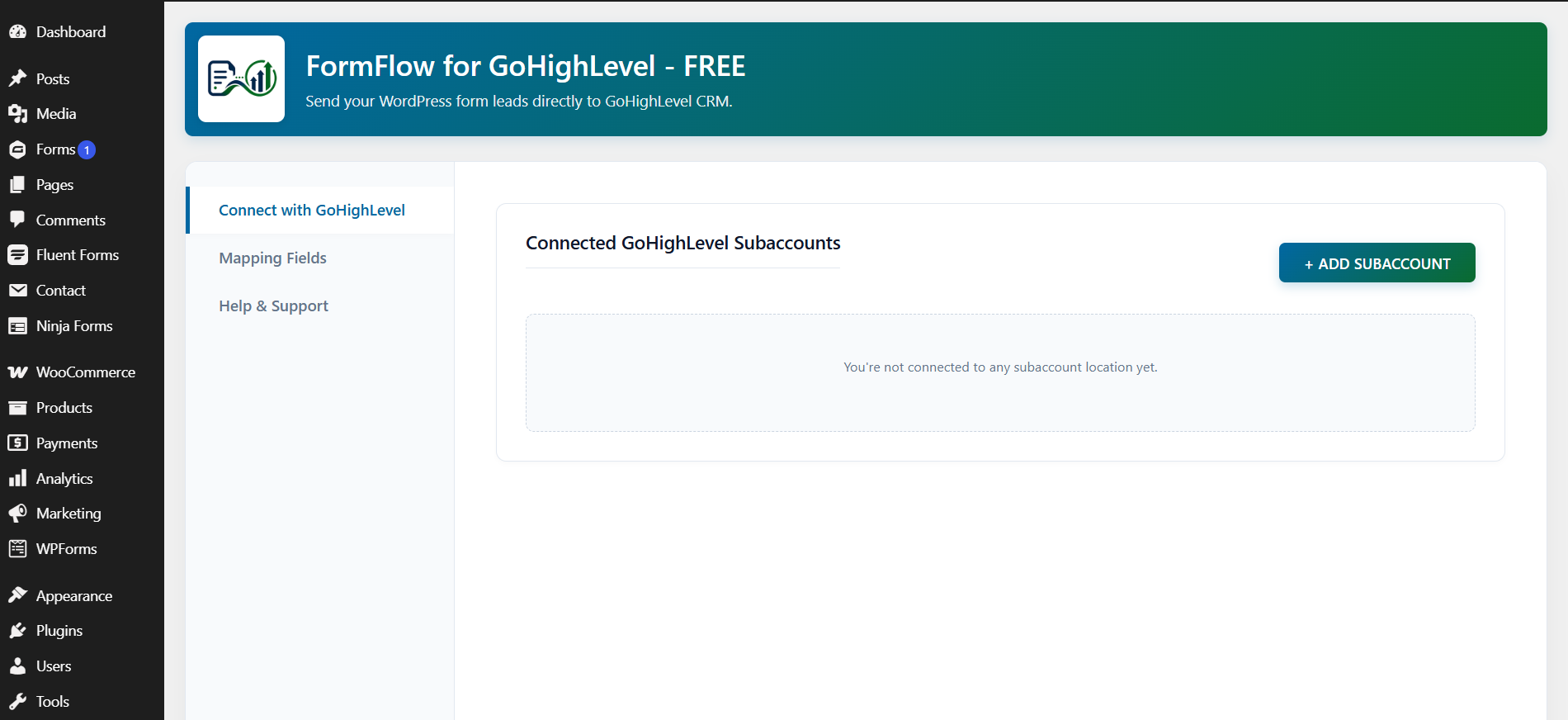
☑️ Secure GoHighLevel connection – connect your GHL account once from the WordPress admin. No API keys to copy into each form.
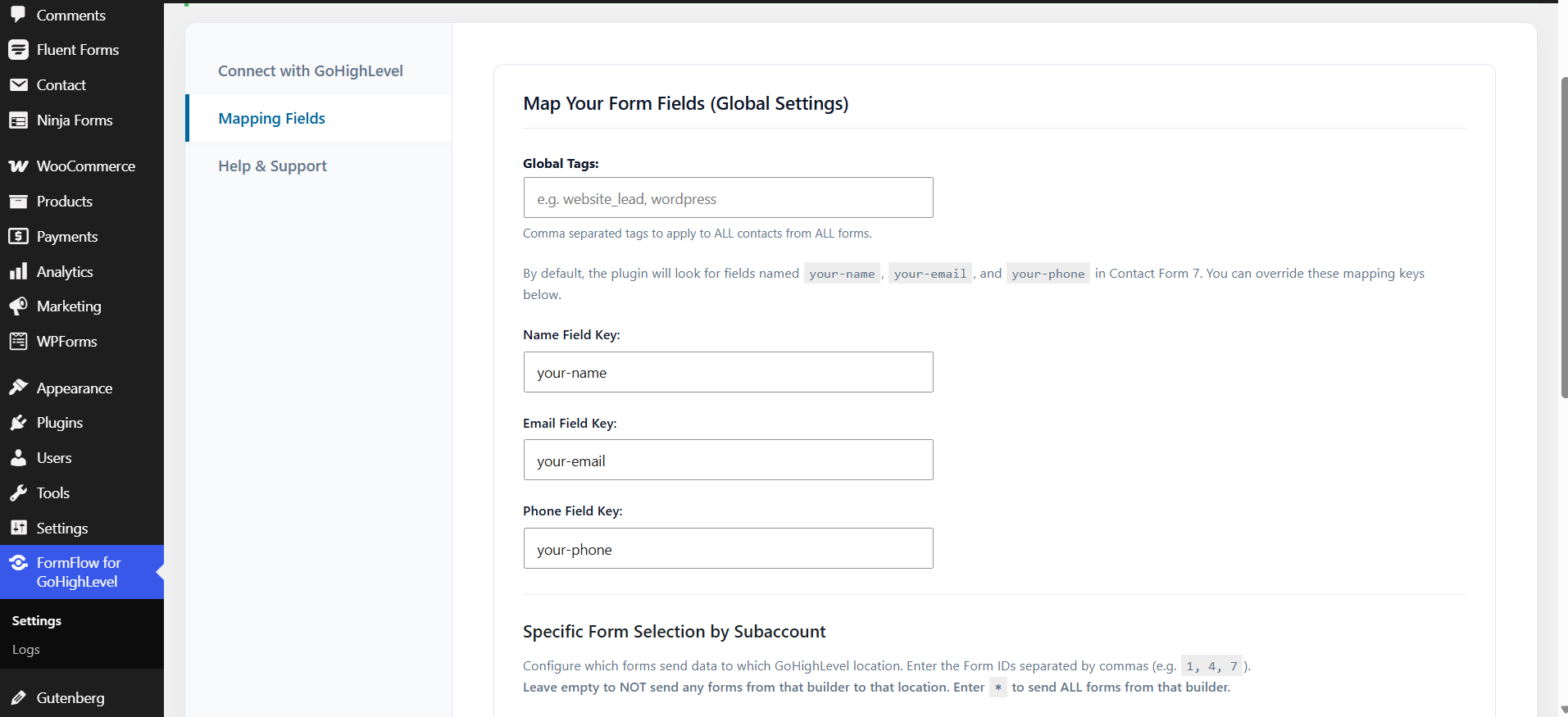
☑️ Gravity Forms entries to GoHighLevel contacts – every new entry creates a GHL contact, or updates the existing one when the email matches, so you don’t get duplicates. Syncs name, email and phone.
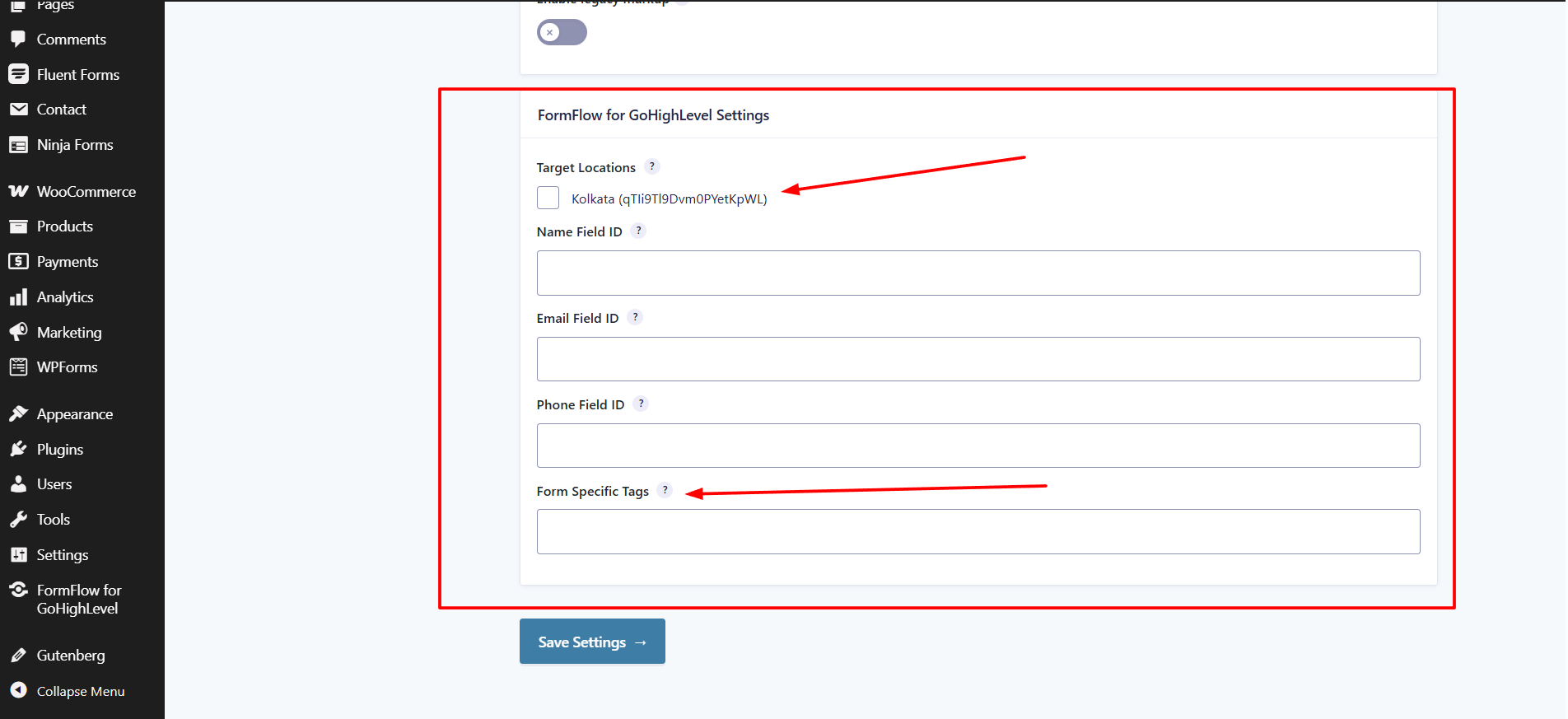
☑️ Native Gravity Forms feed – set up the GoHighLevel connection under each form’s feed settings, the same way you configure other Gravity Forms add-ons.
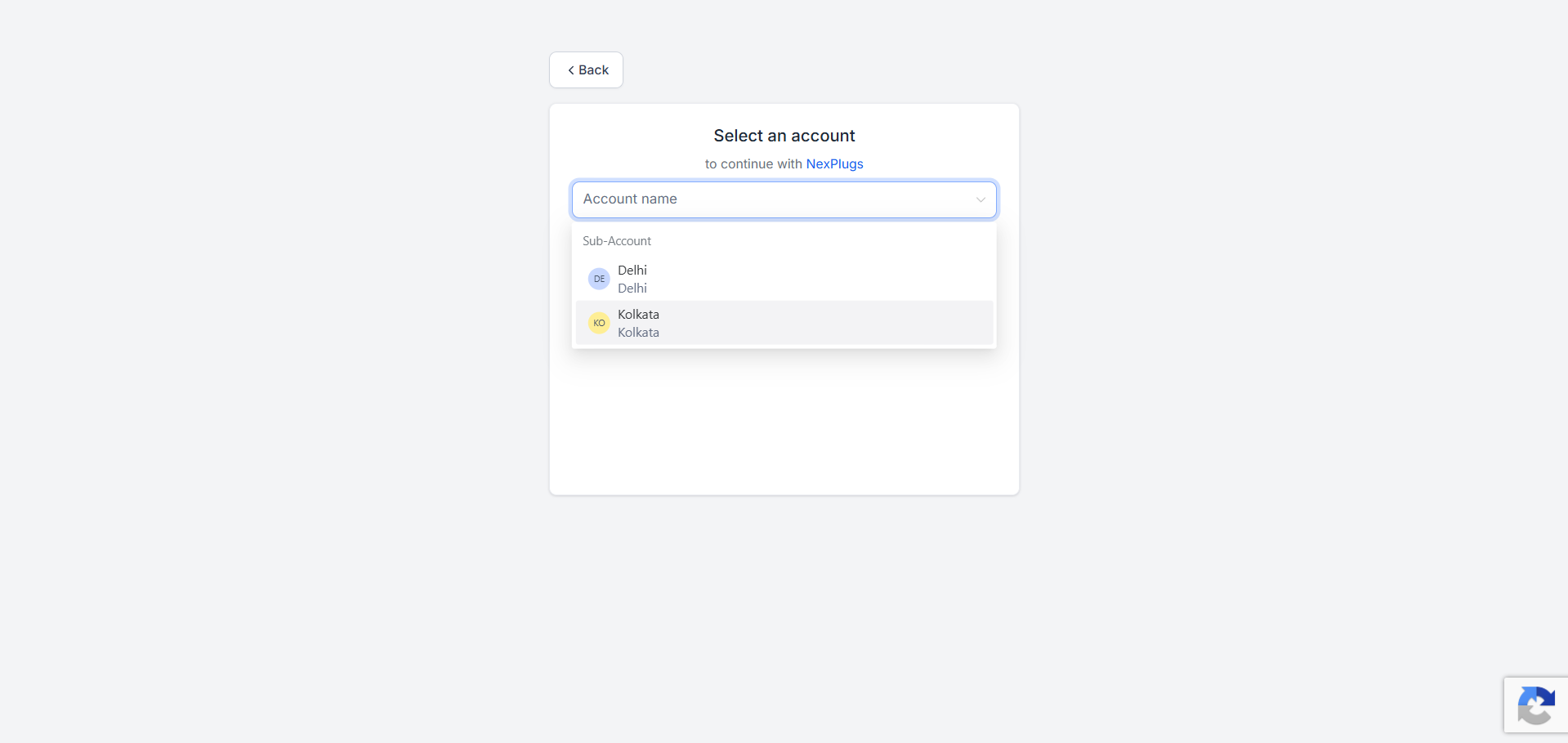
☑️ Multi-location routing – connect multiple GoHighLevel locations (sub-accounts) under one primary account, and choose which location each Gravity Form sends to.
☑️ Global and form-specific tags – apply tags to every Gravity Forms lead, or set tags per form inside its feed, to trigger the right GoHighLevel workflow, SMS or email follow-up.
☑️ Activity log – see every Gravity Forms sync to GoHighLevel, with connection status and API errors, so you can fix problems without guessing.
☑️ Clean uninstall – removes the plugin’s settings and data when you delete it.
FormFlow GHL Pro: the complete Gravity Forms GoHighLevel integration
The free plugin syncs name, email and phone. FormFlow GHL Pro adds a Feeds engine that sends every Gravity Forms answer to GoHighLevel and decides what happens next:
☑️ Custom field mapping – map any Gravity Forms field to standard GoHighLevel fields (company, address, city, website) or to your own GHL custom fields. Ideal for quote, application and intake forms with many questions.
☑️ Pipelines and opportunities – turn a Gravity Forms entry into a GoHighLevel opportunity in the pipeline and stage you choose, with no manual entry.
☑️ Conditional routing – route Gravity Forms entries by their answers, using rules such as equals, not equals, contains, starts with and greater than. For example, send budgets over $5,000 to sales and the rest to a nurture workflow.
☑️ Multiple feeds per form – send one Gravity Forms entry to several GoHighLevel locations, each with its own field mapping and rules.
☑️ Feed-specific tags – tag leads by the rule that fired, not just by form, to trigger more targeted GHL automations.
☑️ Multiple primary GHL accounts – connect completely separate GoHighLevel accounts, so an agency can keep every client’s Gravity Forms leads in that client’s own GHL.
Every plan includes all Pro features. Choose by how many websites you need: 2, 4 or unlimited. See Gravity Forms to GoHighLevel plans.
Who it’s for
☑️ Agencies that build client sites with Gravity Forms and run sales in GoHighLevel
☑️ Businesses using Gravity Forms for quotes, applications, bookings or intake forms
☑️ Anyone replacing a Zapier or webhook setup between Gravity Forms and GHL
Using Contact Form 7, Elementor, WPForms, Fluent Forms or Ninja Forms as well? Try FormFlow for GoHighLevel, which supports all six form builders.
External services
This plugin connects to external services to authenticate with GoHighLevel and sync leads. No data is sent in the background or without one of the actions below.
1. NexPlugs API (api.nexplugs.com)
Used for secure GoHighLevel authentication, location connection management, and processing Gravity Forms entries to create or update GHL contacts.
What is sent and when:
- On account connection: website URL / domain
- On account disconnect: website URL / domain and connected GHL location/account identifiers
-
On a Gravity Forms submission: contact name, email, phone, form source identifier, configured tags, selected GHL location/account identifiers, and form values needed to create or update the contact
-
Privacy Policy: https://www.nexplugs.com/privacy-policy/
- Terms of Service: https://www.nexplugs.com/terms-of-services/
2. GoHighLevel API
Gravity Forms entry data is sent to the GoHighLevel CRM API through the NexPlugs API to create or update a contact in the selected location. This happens only when a visitor submits a Gravity Forms form.
This service is provided by HighLevel Inc.:
- Privacy Policy: https://www.gohighlevel.com/privacy-policy
- Terms of Service: https://www.gohighlevel.com/terms
Screenshots
Installation
- Make sure Gravity Forms is installed and active.
- In WordPress, go to Plugins Add New, search for “FormFlow Gravity Forms Ext”, then install and activate.
- Open FormFlow Gravity Forms Ext in the admin menu and connect your GoHighLevel account.
- Select the GHL locations (sub-accounts) this site should use.
- Open a form in Gravity Forms, go to Settings FormFlow, and add a feed with the location and tags.
- Submit a test entry and check the contact in GoHighLevel and the activity log.
Full setup guide: https://support.nexplugs.com/knowledge-base/formflow-for-ghl
FAQ
-
Is there a GoHighLevel extension for Gravity Forms?
-
Yes. FormFlow Gravity Forms Ext is a free GoHighLevel add-on for Gravity Forms. It sends every entry to GHL as a contact, with the location and tags you choose.
-
How do I connect Gravity Forms to GoHighLevel?
-
Install the plugin, connect your GoHighLevel account, then add a FormFlow feed to your Gravity Form and choose a GHL location and tags. Each new entry creates or updates a contact in GoHighLevel.
-
Do I need Zapier to send Gravity Forms to GoHighLevel?
-
No. The plugin connects Gravity Forms to GoHighLevel directly, so there is no Zapier, Make or webhook setup to maintain.
-
Can different Gravity Forms go to different GHL locations?
-
Yes. Each form has its own feed, so each Gravity Form can send to its own location with its own tags.
-
Can I connect multiple GoHighLevel locations?
-
Yes. The free version connects multiple locations (sub-accounts) under one primary GoHighLevel account.
-
Can I connect multiple GoHighLevel accounts?
-
Separate primary GHL accounts are supported in FormFlow GHL Pro. The free version works with one primary account and its sub-accounts.
-
Can I map Gravity Forms fields to GoHighLevel custom fields?
-
Yes, with FormFlow GHL Pro. The free version syncs name, email and phone. Pro maps any Gravity Forms field to standard or custom GHL fields.
-
Can Gravity Forms entries create opportunities in GoHighLevel?
-
Yes, with FormFlow GHL Pro. Each feed can create an opportunity in the pipeline and stage you choose.
-
Yes. Use global tags for every entry, and form-specific tags inside each Gravity Forms feed.
-
Can I see sync errors?
-
Yes. The built-in activity log shows connection status and API events for each sync.
-
Is WooCommerce supported?
-
Not yet. WooCommerce integration is planned.
-
Does the plugin remove its data on uninstall?
-
Yes. The plugin removes its settings and data on uninstall.
-
How do I get support?
-
Read the setup guide or email support@nexplugs.com.
Reviews

Contributors & Developers
“FormFlow Gravity Forms Ext for GoHighLevel – Send Form Leads to GHL” is open source software. The following people have contributed to this plugin.
Contributors
Translate “FormFlow Gravity Forms Ext for GoHighLevel – Send Form Leads to GHL” into your language.
Interested in development?
Browse the code, check out the SVN repository, or subscribe to the development log by RSS.
Changelog
1.0.1
- Improved: refined admin UI for the dashboard and Gravity Forms feed settings
- Improved: security hardening
- Improved: readme and documentation links
1.0.0
- Initial release