Description
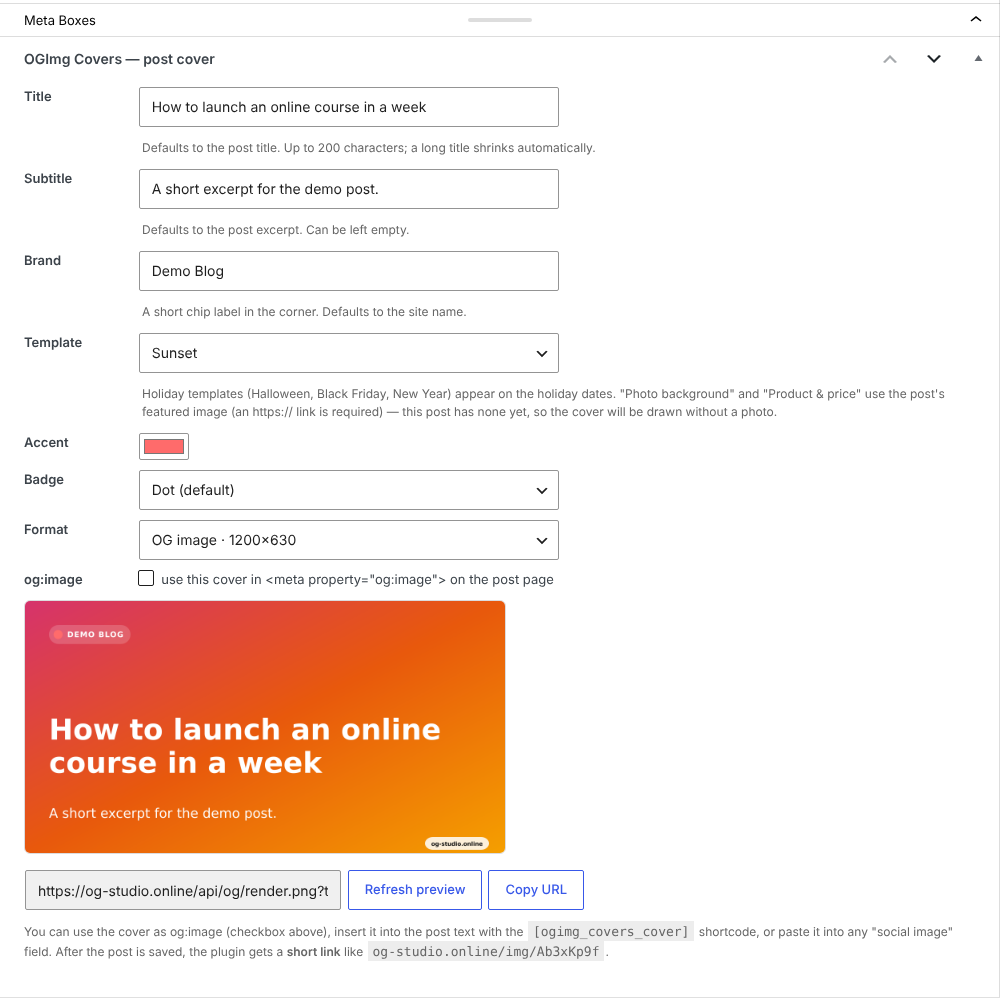
OGImg Covers adds an “OGImg Covers — post cover” box to the post editor. The title, excerpt and site name are filled in from the post, you pick a style, accent color, badge and format — and the cover becomes the post’s og:image and twitter:image. Links shared in Telegram, VK, X, LinkedIn, Facebook and messengers get a proper preview card.
Features
- 32 styles — the same as in the online editor at og-studio.online; holiday styles (Halloween, Black Friday, New Year) appear on their dates.
- Photo styles: “Photo background” and “Product & price” use the post’s featured image.
- Live preview right in the post editor.
- Short image links like
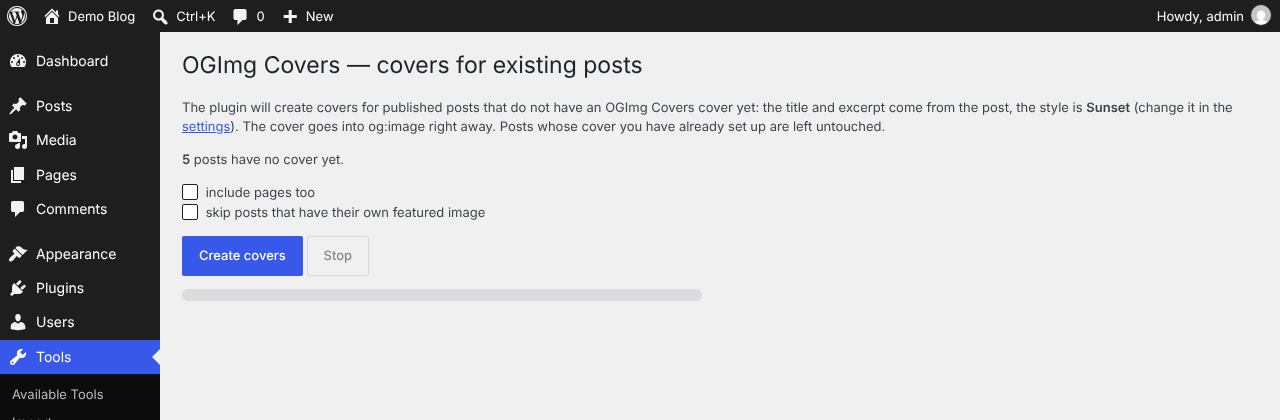
og-studio.online/img/Ab3xKp9finstead of long URLs. - Covers for existing posts in one click: Tools OGImg Covers.
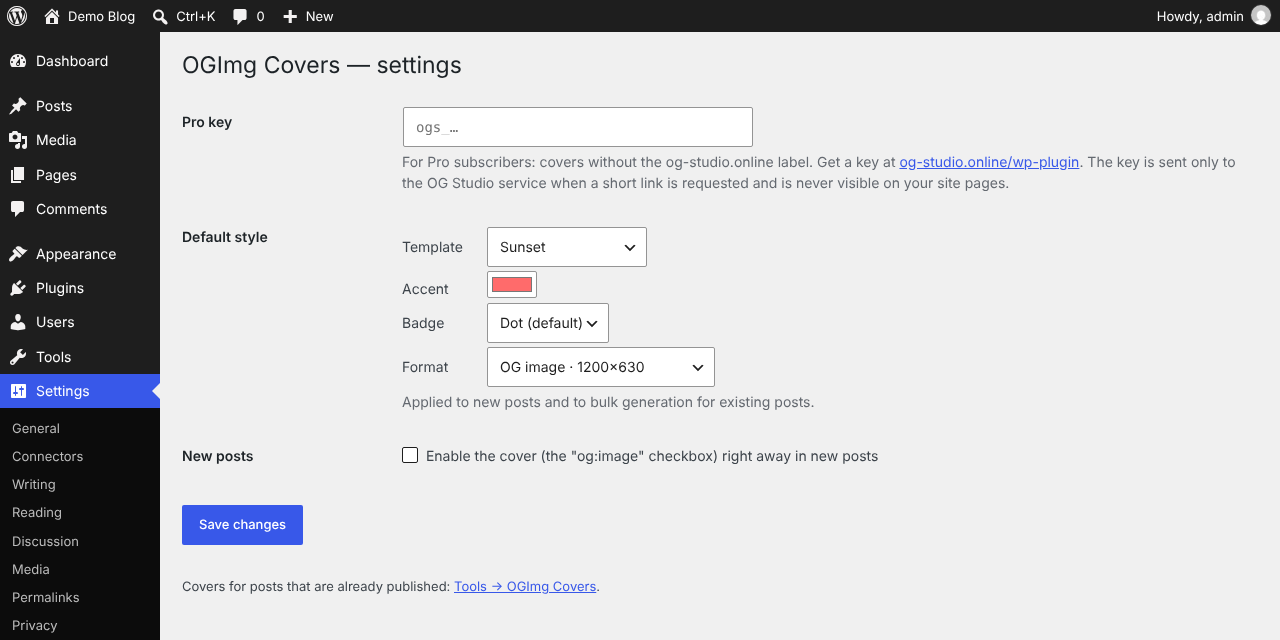
- Default style for new posts: Settings OGImg Covers.
[ogimg_covers_cover]shortcode to place the cover inside the post.- Works with Yoast SEO (
wpseo_opengraph_imagefilter). - Pro key (for og-studio.online Pro subscribers): covers without the og-studio.online watermark.
The plugin does not create database tables and stores no images on your hosting: settings are kept in post meta and one option.
На русском. Плагин OGImg Covers делает обложку записи из заголовка: 32 шаблона (в «Фото-фоне» и «Товаре и цене» — «Изображение записи»), живое превью, автоматический og:image и twitter:image, обложки для старых записей одной кнопкой, ключ Про — без водяного знака. Подробно: https://og-studio.online/wp-plugin
External services
This plugin relies on the OG Studio service at og-studio.online (https://og-studio.online) to draw the cover images. Without it the plugin cannot produce images.
- Rendering — the cover image is requested from
https://og-studio.online/api/og/render.png(in the editor preview) and, on the public site, by visitors’ browsers and social network crawlers via the image link inog:image. Sent: the cover title, subtitle, brand text, style, accent color, badge and format; for the “Photo background” and “Product & price” styles also the public https URL of the post’s featured image, which the service downloads to draw the cover. - Short links — when a post with an enabled cover is saved (or during bulk generation for existing posts), the same cover parameters are sent to
https://og-studio.online/api/og/shorten, which returns a short linkhttps://og-studio.online/img/…. If a Pro key is set in the plugin settings, the key is sent too (server to server; it never appears on your pages). - Key check — when the settings page is opened with a Pro key filled in, the key is sent to
https://og-studio.online/api/og/key-checkto show its status.
No other data about your site, visitors or users is sent.
Terms of use: https://og-studio.online/legal
Privacy policy: https://og-studio.online/privacy
Screenshots
Installation
- Plugins Add New search “OGImg Covers”, or upload the zip and activate.
- Open any post — the “OGImg Covers — post cover” box is below the editor, fields are already filled in.
- Choose a style, tick “og:image” and update the post.
- Optional: Settings OGImg Covers — default style and Pro key; Tools OGImg Covers — covers for existing posts.
FAQ
-
Is it free?
-
Yes. Covers have a small og-studio.online label in the corner; og-studio.online Pro subscribers can remove it with a Pro key.
-
What happens with my existing posts?
-
Nothing until you run Tools OGImg Covers. It creates covers only for published posts that have no OGImg Covers cover yet; posts you configured by hand are not touched.
-
Does it work with Yoast SEO / Rank Math?
-
With Yoast SEO the cover replaces Yoast’s og:image when enabled for the post. With other SEO plugins both tags may be printed; social networks use the first one.
-
Already shared previews keep working from social network caches; new previews appear once the service is back. The plugin falls back to the full image link if a short link cannot be created.
Reviews
There are no reviews for this plugin.
Contributors & Developers
“OGImg Covers” is open source software. The following people have contributed to this plugin.
Contributors
Translate “OGImg Covers” into your language.
Interested in development?
Browse the code, check out the SVN repository, or subscribe to the development log by RSS.
Changelog
1.5.1
- Interface is now fully translatable (English source strings); Russian translation included.
1.5.0
- Plugin renamed to OGImg Covers (new slug ogimg-covers); settings and per-post data are migrated automatically.
- The old [og_studio_cover] shortcode keeps working.
1.4.0
- New “Photo background” style: the post’s featured image as the cover background with a dark overlay.
- “Product & price” shows the featured image in the product card.
- The featured image must be an https URL; without one the cover is drawn without a photo.
- With a Pro key the service keeps its own copy of the photo for the short link.
- List style: up to 6 items.
1.3.0
- 8 new task styles: blog article, webinar / event, quote, big number, product & price, job, podcast episode, list of 3 (31 styles in total).
1.2.0
- Styles synced with the online editor (23 styles, editor names); holiday styles open only on their dates.
- Settings page: default style, “enable for new posts”, Pro key.
- Bulk covers for existing posts (Tools OGImg Covers).
- Pro key: short links without the watermark.
- Scripts and styles are enqueued properly; uninstall cleans up.
1.1.0
- Short image links og-studio.online/img/…
1.0.0
- First release.