

Description
Ever wished that WooCommerce would add just that one enhancement, that one little tool, that handy little thing that it’s missing?
Introducing Store Toolkit for WooCommerce! The must-install plugin for every WooCommerce store that lets you toggle quick enhancements and gives you handy tools that make your store better. It’s the ultimate WooCommerce booster!
Boost WooCommerce These Quick Enhancements
WooCommerce Quick Enhancements let you tweak and extend WooCommerce with just a the flick of a switch.
- Change the Add To Cart button text
- Adjust the number of products shown on product archives
- Auto complete zero total Orders
- Show related orders on the Order edit screen.
- Show used coupons on the Order Preview popup on the Order list view.
- Add an Empty Cart buton on the WooCommerce Cart and Cart Block.
- Change the Place Order button text on the Checkout and Checkout Block.
- Show Order custom Post meta from the Order edit screen
- Show Order Items custom Post meta on the Order edit screen
- Show Refund custom Post meta on the Order edit screen
- Show Subscription custom Post meta box on the Subscription edit screen
- Show Product custom Post meta box on the Product edit screen
- Show Coupon custom Post meta box on the Coupon edit screen
- Show Product Category custom Term meta box on the Category edit screen
- Show custom User meta box on the User edit screen
- Show Event custom Post meta box on the Ticket edit screen
- Show Booking custom Post meta box on the Booking edit screen
- Show Membership Plan custom Post meta box on the Membership Plan edit screen
- Show User Membership custom Post meta box on the User Membership Plan edit screen
Handy WooCommerce Tools
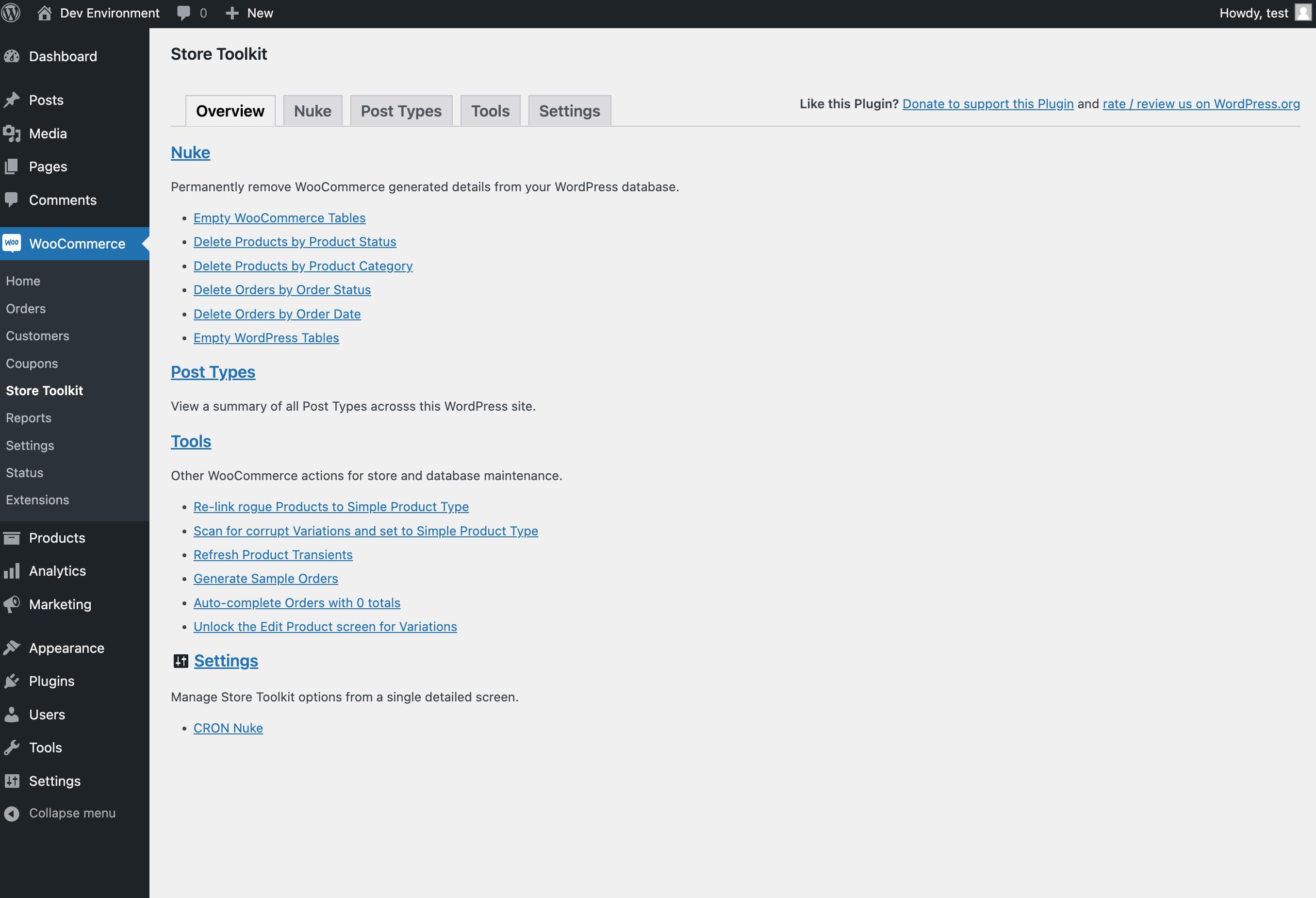
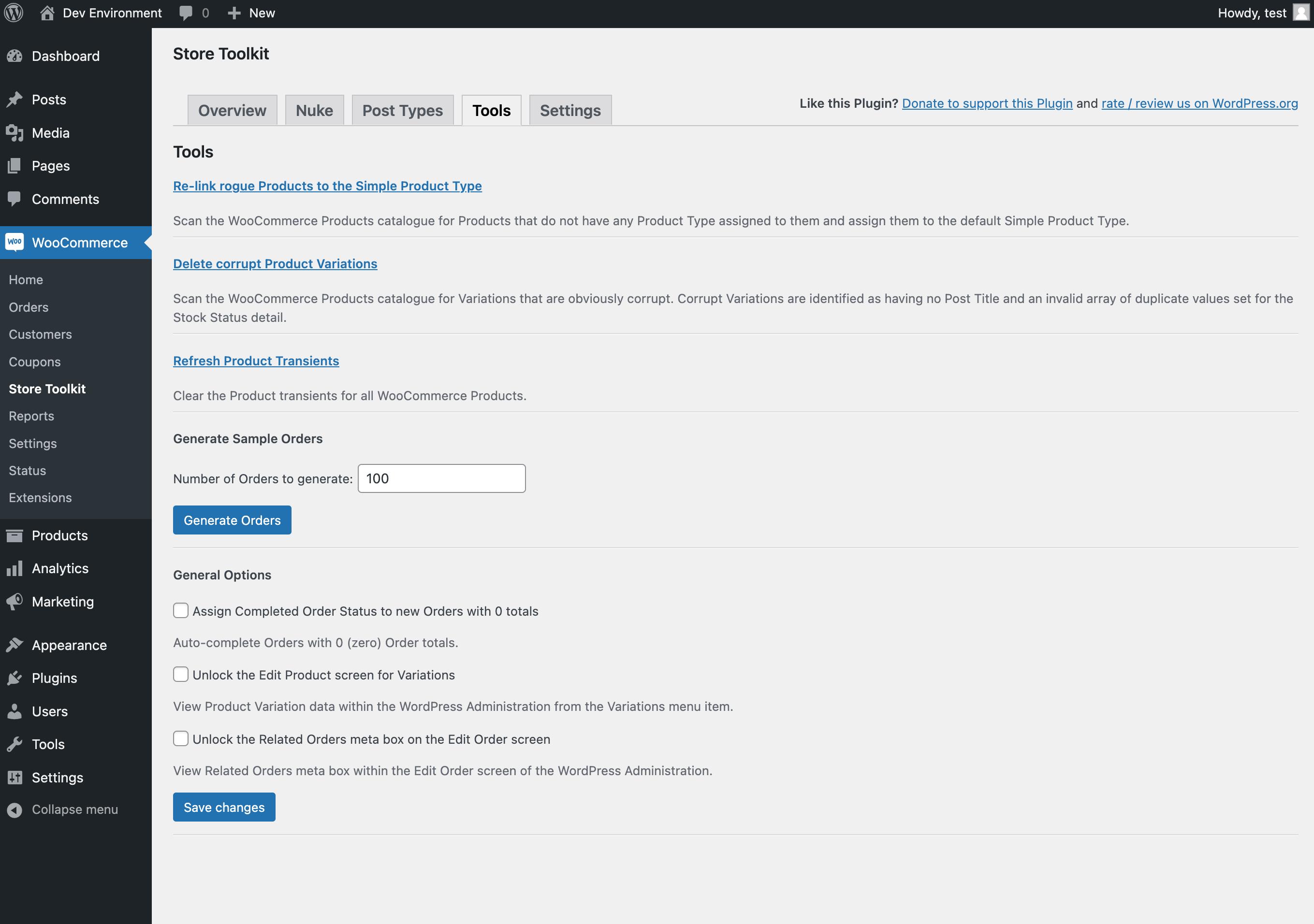
WooCommerce Tools to help you manage and maintain your store. Perform common maintance tasks and more.
- Re-link rogue Products to the Simple Product Type
- Delete corrupt Product Variations
- Refresh Product Transients
- Generate Sample Orders (great for testing!)
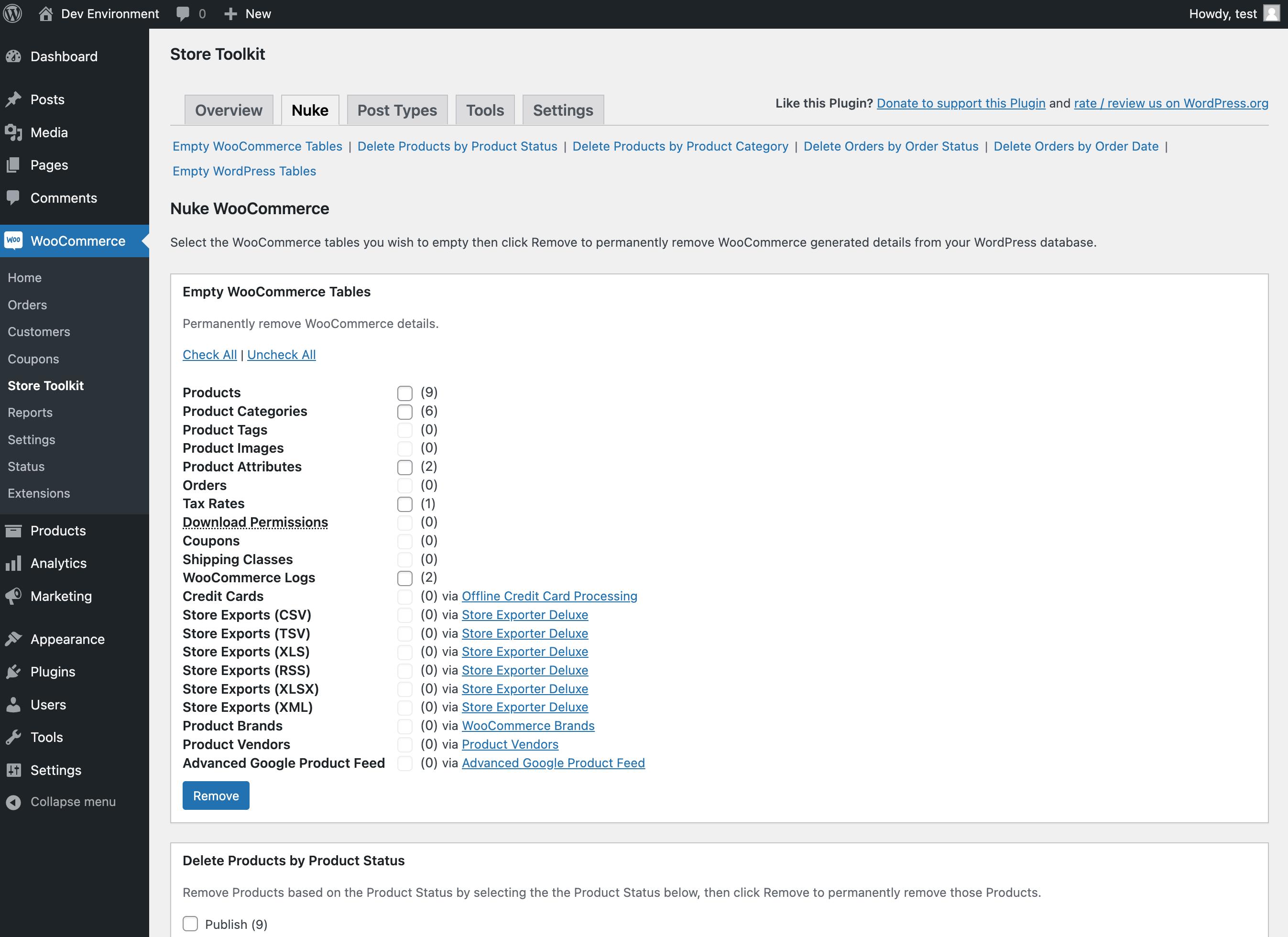
- Nuking Tools – 1-click mass delete orders, products, subscriptions, categories, tags, credit cards, logs, tax rates, images, and more.
- View and manage existing Orders of customers from the User Profile screen
- View number of Orders linked to each User from the Users screen
- List of all registered WordPress Image Sizes on WooCommerce > System Status screen
- Filter Orders by Billing Country from the Orders screen
- Filter Orders by Shipping Country from the Orders screen
- Filter Orders by Payment Method from the Orders screen
- WP-CLI support for limitless nukes
Nuking Tools for mass deleting WooCommerce data
- Products
- Variations
- Product Categories
- Product Tags
- Product Brands
- Product Vendors
- Product Images
- Product Attributes
- WooCommerce Logs
- Orders
- Order Items
- Tax Rates
- Download Permissions
- Coupons
- Shipping Classes
- WooCommerce Logs
- Advanced Google Product Feed
- Delete Products by Product Status
- Delete Products by Product Category
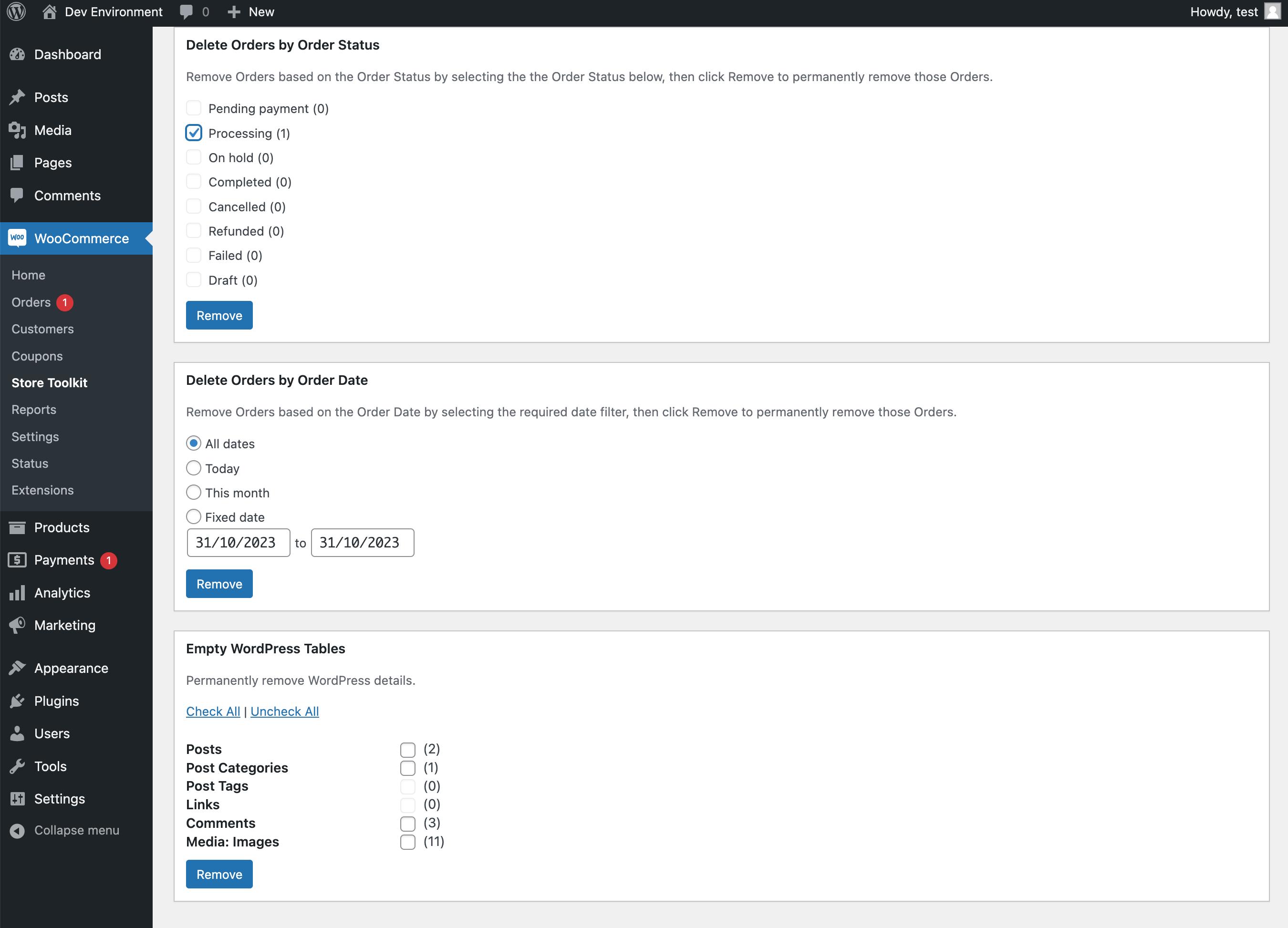
- Delete Orders by Order Status
- Delete Orders by Order Date
- Bulk permanently Delete Products from the Edit Products screen
- Posts
- Post Categories
- Post Tags
- Links
- Comments
- Media: Images
If you find yourself in the situation where you need to start over with a fresh installation of WooCommerce then a ‘nuke’ will do the job.
Check out our other solutions
Wholesale Suite – The #1 rated and easiest way to add wholesale features to your WooCommerce store.
Advanced Coupons – add loads of new advanced coupon features to WooCommerce including BOGO coupons, store credit, coupon rules, and more.
WC Vendors – turn your WooCommerce store into a multi-vendor marketplace just like Amazon, Etsy, Tripadvisor and more.
AdTribes Product Feed Pro – #1 plugin for generating WooCommerce product feeds for all your marketing channels.
Usage
- Open Store Toolkit menu
- Quick Enhancements tab contains all the little enhancements you can turn on and off easily.
- Handy Tools tab contains an array of WooCommerce tools to help you maintain your store.
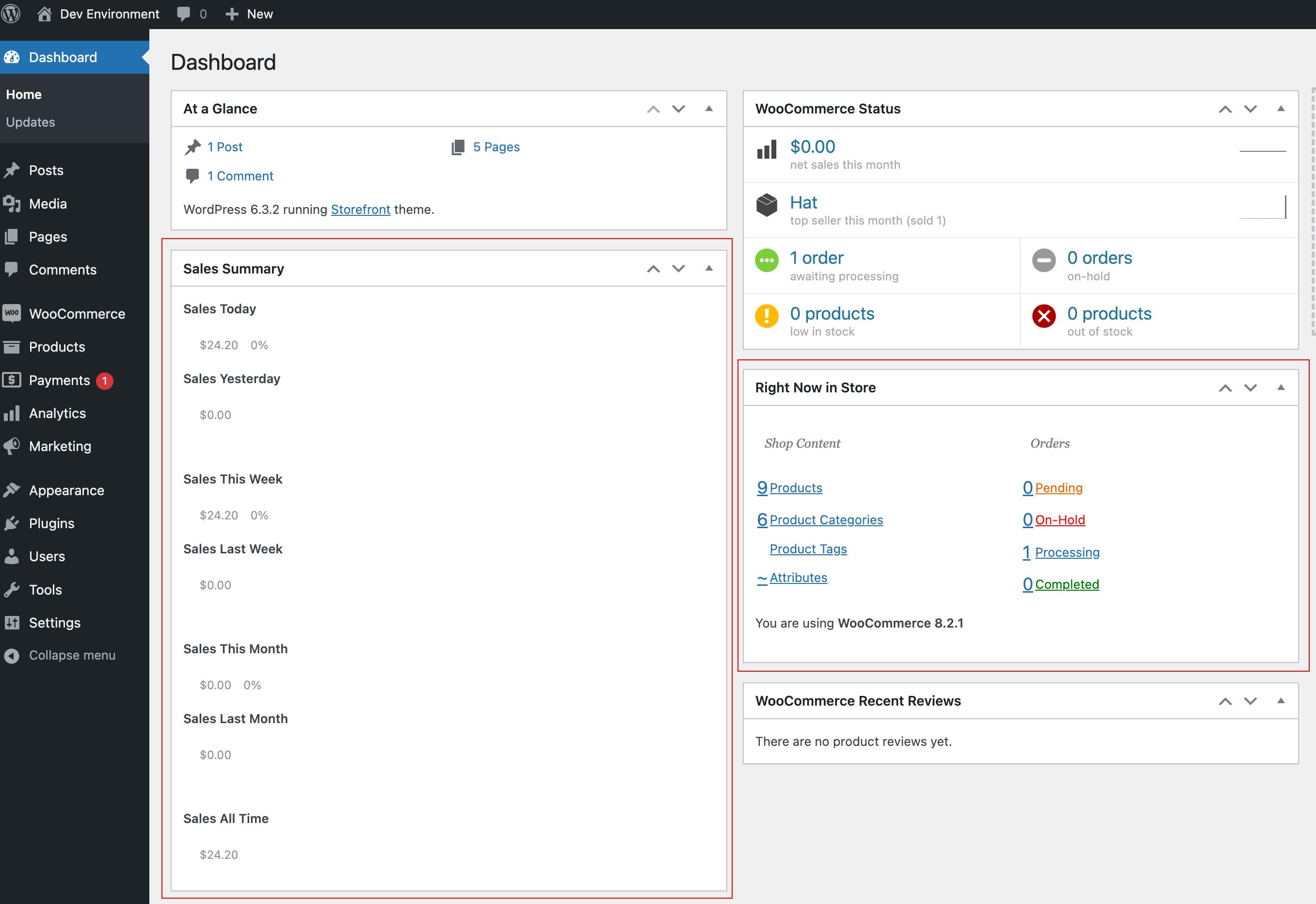
You’ll also find new Dashboard reports around sales and store details.
Support
If you have any problems, questions or suggestions please open a topic here on WordPress.org, open a new Support topic.
Reporting security issues
If you are here to report any sort of security issue with this Plugin please use this Report a Plugin vulnerability form.
https://visser.com.au/contact/
Disclaimer
It is not responsible for any harm or wrong doing this Plugin may cause. Users are fully responsible for their own use. This Plugin is to be used WITHOUT warranty.
Screenshots
Blocks
This plugin provides 1 block.
- Empty Cart Button Lets customers clear the cart in one click. Place it inside the Cart block.
Installation
- Upload the folder ‘woocommerce-store-toolkit’ to the ‘/wp-content/plugins/’ directory
- Activate ‘Store Toolkit for WooCommerce’ through the ‘Plugins’ menu in WordPress
That’s it!
FAQ
-
Where can I request new features?
-
Thought of a new Quick Enhancement or Handy Tool you’d love to see? Drop us a line here!
-
Where can I report bugs or contribute to the project?
-
Drop us a line on the support forums for this plugin. We actively monitor the forums for support.
-
How can I report security bugs?
-
You can report security bugs through the Patchstack Vulnerability Disclosure Program. The Patchstack team helps validate, triage and handle any security vulnerabilities. Report a security vulnerability.
Reviews


Contributors & Developers
“Store Toolkit – WooCommerce Extensions, Quick Enhancements & Handy Tools” is open source software. The following people have contributed to this plugin.
Contributors


“Store Toolkit – WooCommerce Extensions, Quick Enhancements & Handy Tools” has been translated into 1 locale. Thank you to the translators for their contributions.
Interested in development?
Browse the code, check out the SVN repository, or subscribe to the development log by RSS.
Changelog
2.4.6
- Improvement: Store Toolkit now requires WordPress 6.6 or newer. Sites on older WordPress versions stay on 2.4.5.
- Bug Fix: The empty cart button block was missing from the cart block’s block list.
- Bug Fix: Hardening the empty cart link.
- Bug Fix: A plain “?empty-cart=true” link without a nonce no longer empties the cart.
- Bug Fix: Empty cart links no longer work while the “Add Empty Cart Button” quick enhancement is off. The empty cart button block is not affected.
- Bug Fix: Add a permission check to the bulk product delete action.
- Bug Fix: Remove the “Unlock the Edit Product screen for Product Variations” quick enhancement, which showed an empty variation edit screen.