

Description
CartRevival is abandoned cart recovery for WooCommerce that also shows you carts as they happen. It shows you the cart filling up right now, and automatically wins it back if the shopper leaves — a genuine cart revival, not just a reminder.
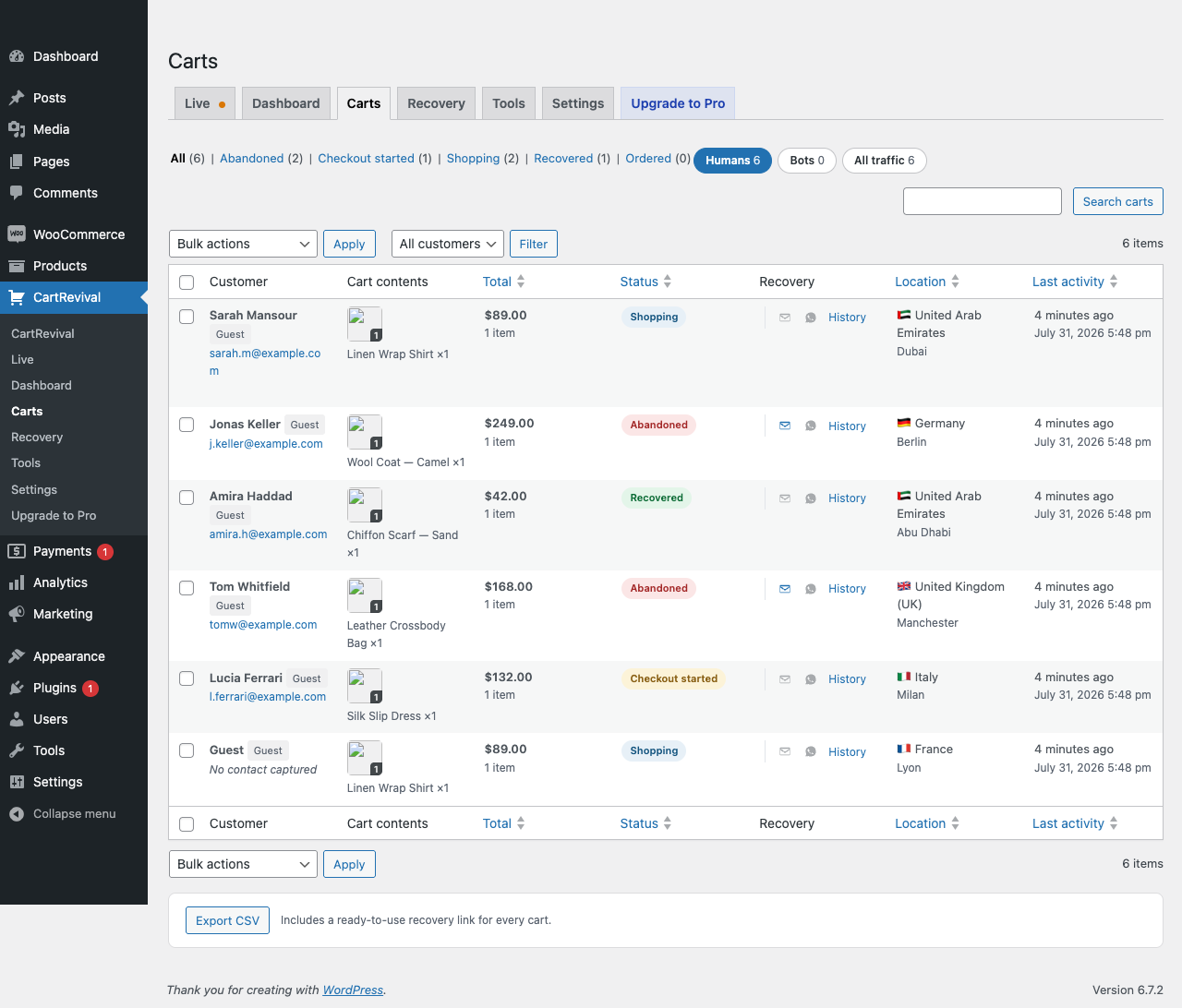
Every shopper who adds a product is captured — registered customers and anonymous guests alike — along with their cart contents, location and device. If they go quiet, CartRevival marks the cart abandoned and sends a cart abandonment email that rebuilds their exact cart in one click.
Live cart tracking, free
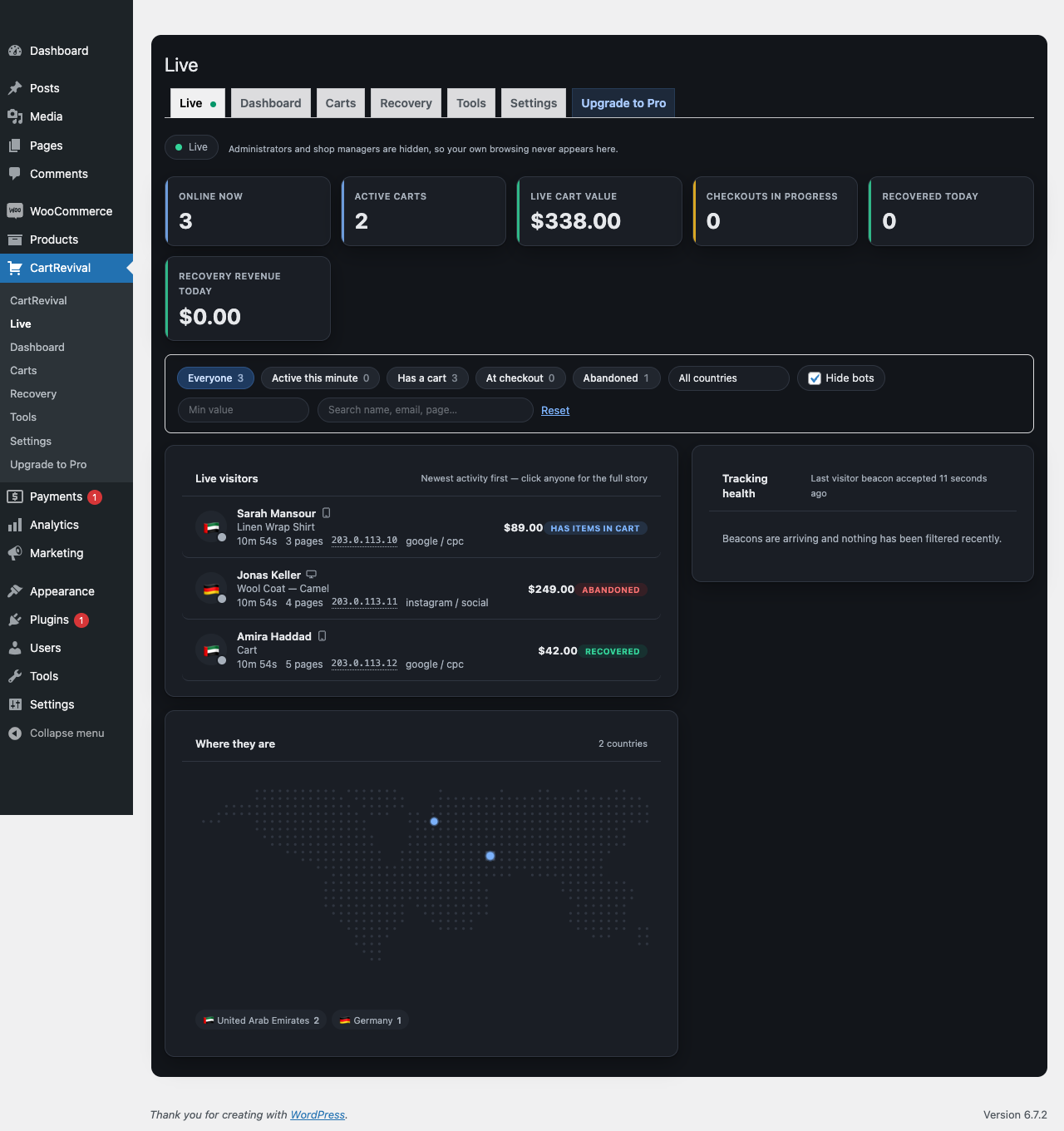
The Live tab is a real-time view of your store. Watch visitors arrive, browse, add products and reach checkout, with cart values updating the instant something changes. See what people added and then removed — the hesitation that never shows up in any other report.
What you get for free
- Abandoned cart recovery for both logged-in customers and guests
- Live cart tracking monitor with real-time visitor and cart status
- Exit intent popup on desktop and mobile, with scroll-up velocity and back-gesture detection on touch devices
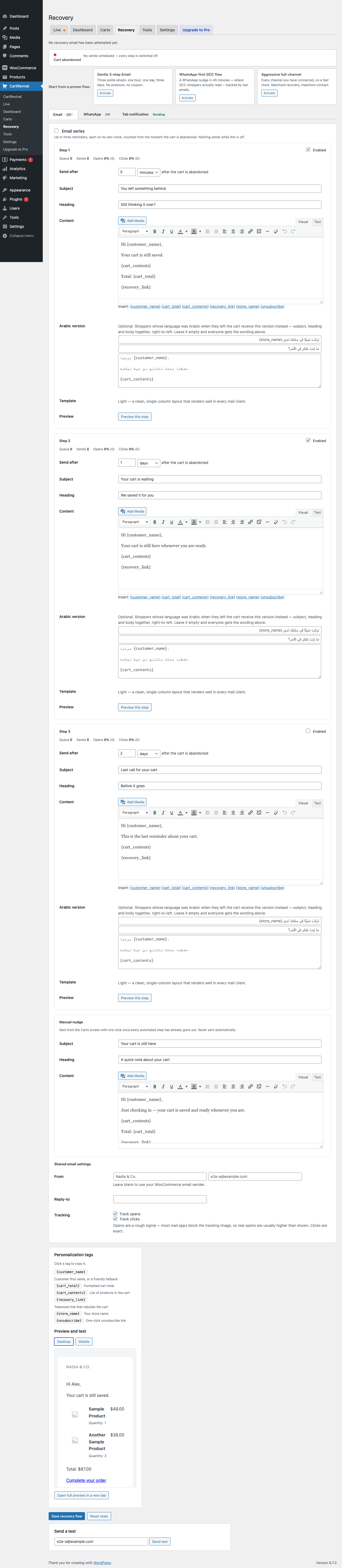
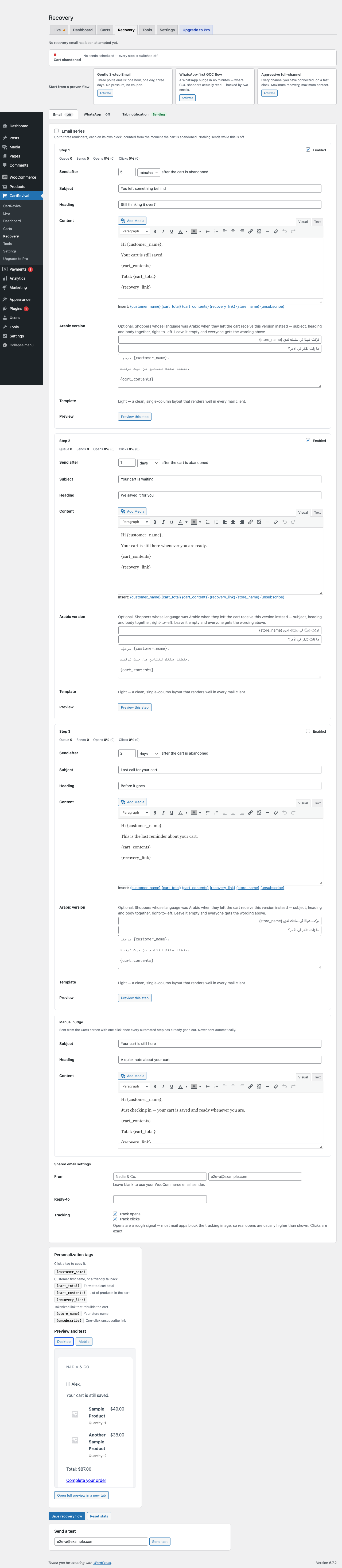
- A three-step recovery email series, each step with its own delay, subject, heading, content, coupon field and open/click stats
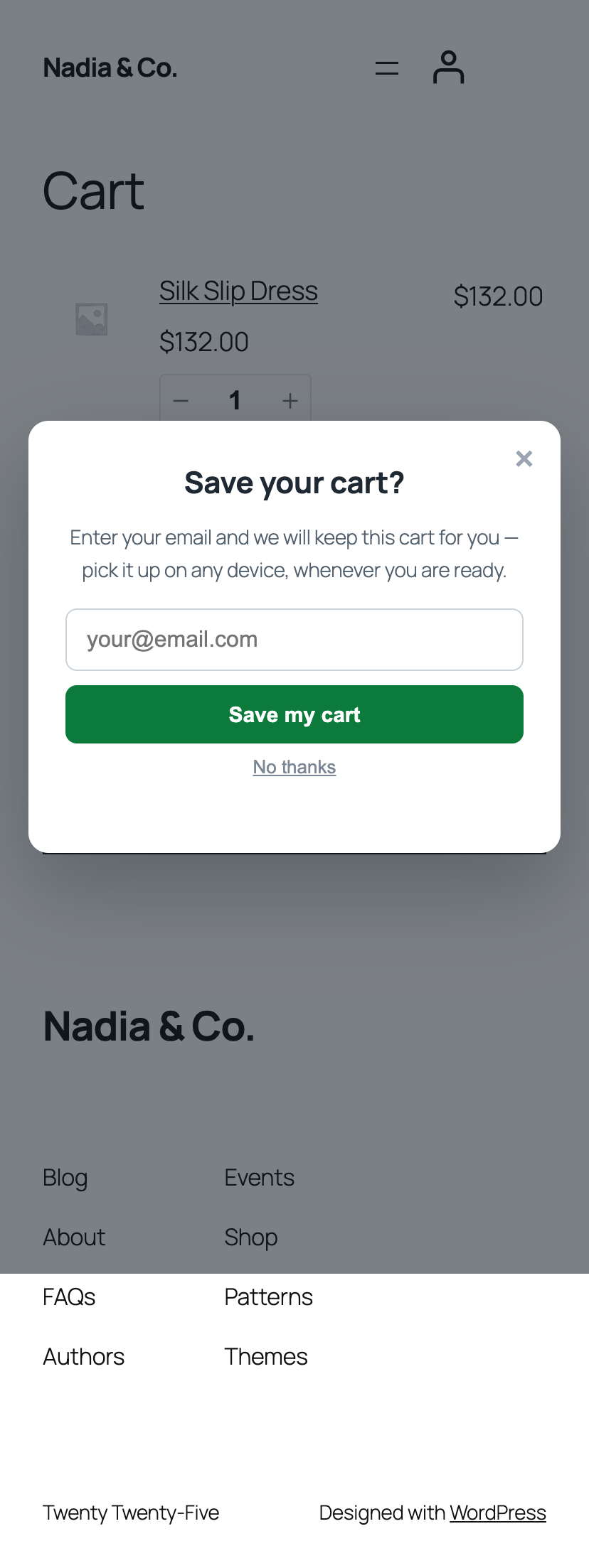
- Early capture popup that asks for an email or phone on add-to-cart, so guest carts become recoverable
- Tab notification that alternates the browser tab title and badges the favicon while the shopper is on another tab
- One-click cart restore link that rebuilds variations, quantities and custom item data
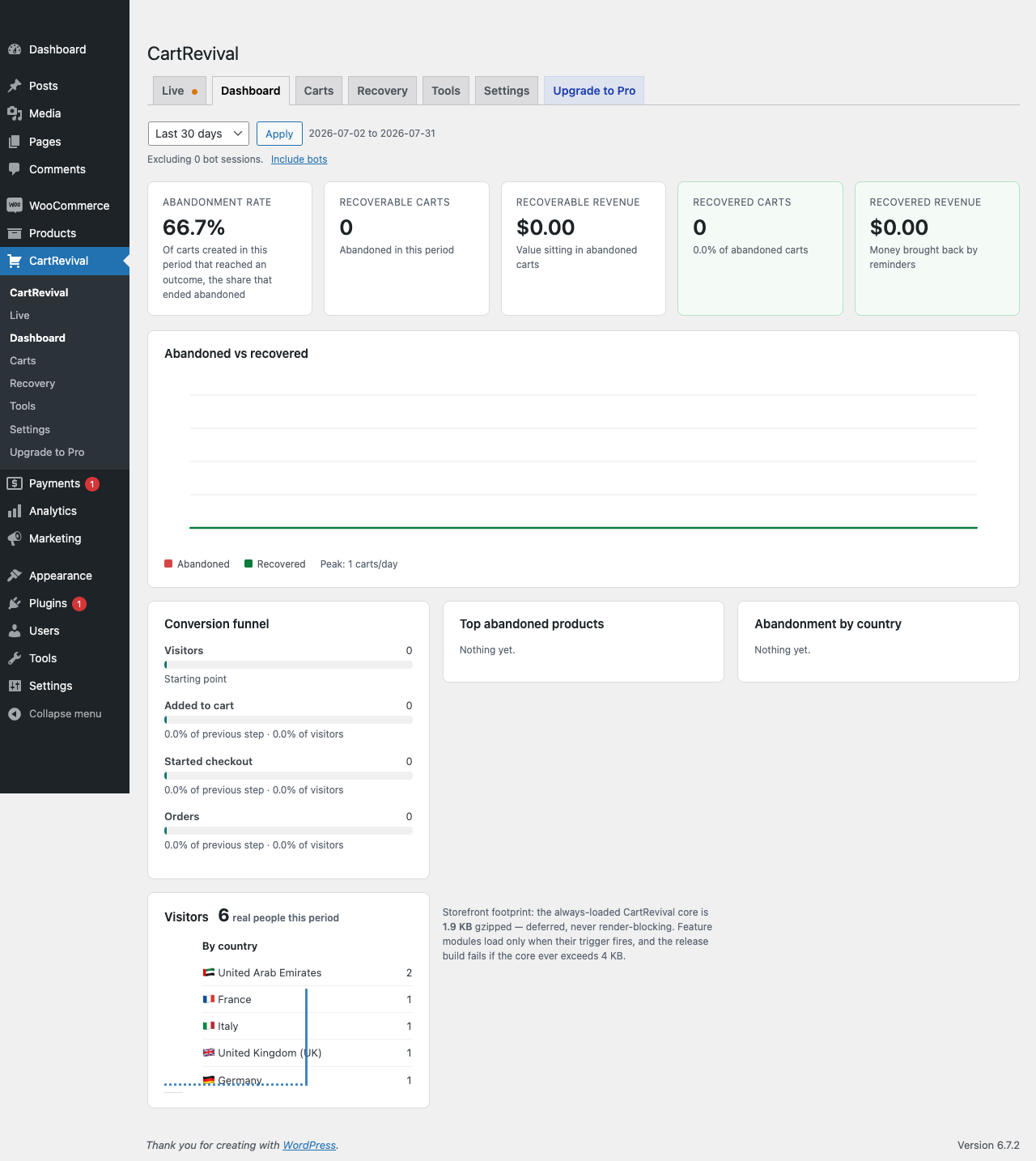
- Conversion funnel: visitors add to cart checkout orders, with drop-off at each step
- Reports: abandonment rate, recoverable revenue, recovered revenue, top abandoned products, abandonment by country
- Remember checkout input across page reloads
- CSV export including a ready-to-use recovery link per cart
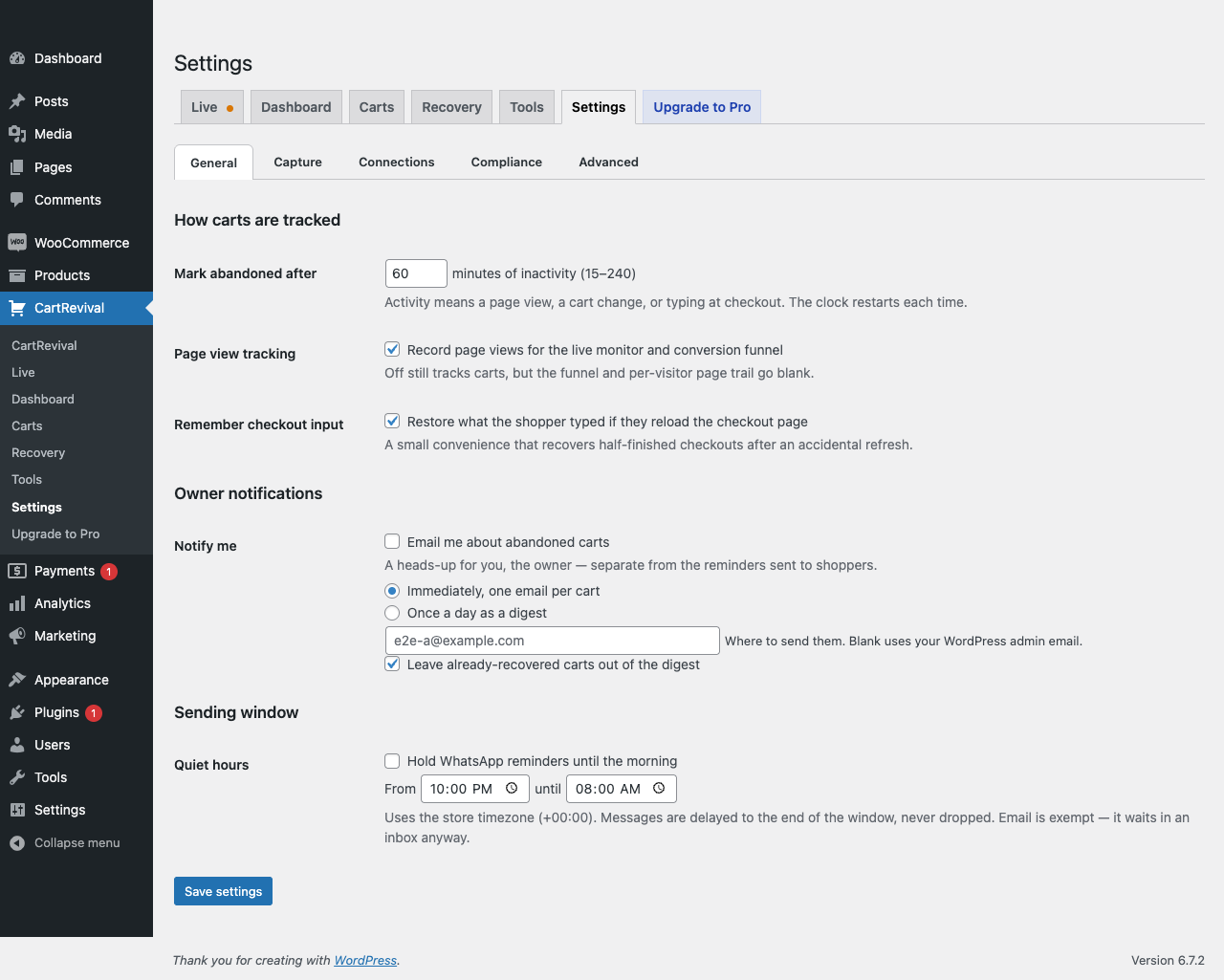
- Store owner notifications, instantly or as a daily digest
- Bot defense on every capture: honeypot, user-agent blocklist, minimum time on page, optional reCAPTCHA v3
- Exclusions by email, phone and user role, plus auto-delete for old anonymous carts
- Full GDPR support: data exporter, eraser, one-click unsubscribe, IP and URL collection toggles
Built to be invisible on your storefront
Performance was the first requirement, not an afterthought.
- An always-loaded core of about 2 KB gzipped (2.2 KB measured), loaded deferred — every other feature is a tiny module that downloads only when its trigger fires
- No jQuery, no frontend CSS unless you turn on a popup
- Tracking uses
navigator.sendBeacon(), so nothing ever blocks navigation - Custom database tables with pre-aggregated daily reports — dashboards never scan raw data
- No
admin-ajax.phpanywhere - Zero database writes on a page view when the visitor has an empty cart
WhatsApp cart recovery — free
WhatsApp reminders are included in the free plugin. Connect your WhatsApp number free at 6rsh.com, and CartRevival sends an approved-template reminder for every abandoned cart with a phone number. If you already run the 6rsh WooCommerce plugin, CartRevival reuses your existing connection automatically — nothing to paste.
No limits on the free plugin
There is no cart quota, no registration and no account. Everything described above works on every store, on every cart, forever, and this plugin never contacts a licensing server to decide what you may do.
A separate paid add-on, CartRevival PRO, adds channels and automation on top: SMS through Twilio or BulkGate, web push, a unified multi-channel sequence builder, automatically generated single-use coupons, AI message suggestions, email-marketing sync, and the full visitor analytics history. It is an optional extra — nothing here is switched off or held back to make a case for it. Details and pricing.
Performance
CartRevival’s storefront footprint is two-stage, and the always-loaded part is about 2 KB:
- Core (always loads): 2.2 KB gzipped. The tracking beacon and a tiny module loader. Deferred, sendBeacon transport, no CSS, zero render-blocking, zero database writes on an empty-cart page view.
- Feature modules (load only on their trigger): exit intent (~1.1 KB, on a real leave gesture), field capture (~1.4 KB, on first field focus — or on checkout), early-capture popup (~1.0 KB, on add-to-cart), push opt-in + service worker (~0.6 KB, on add-to-cart with push enabled), tab notification (~0.8 KB, first time the tab is hidden). A visitor who never triggers a feature never downloads it.
- Enforced at build time: the release build fails if the core ever exceeds 4 KB gzipped, so the claim cannot silently rot.
External services
This plugin works entirely on your own server by default. It does not phone home, and it has no licence check, no registration and no usage metering: with a fresh install and default settings, it makes no external requests at all.
Three optional integrations can send data off your site. Each is off until you switch it on, and each is listed here with exactly what leaves your server.
1. 6rsh (WhatsApp reminder delivery) — only if you connect it
To send WhatsApp reminders the plugin needs a WhatsApp Business sender, which it reaches through 6rsh, operated by 6rsh.com. It is used only when you save a 6rsh API key (or already run the 6rsh WooCommerce plugin on the same site) and switch the WhatsApp channel on.
- What is sent: your API key, the shopper’s phone number, the approved template name, and the template variables you mapped (typically the shopper’s first name, your store name, the cart total and the recovery link).
- When: at the moment a WhatsApp reminder is sent for an abandoned cart, and when the plugin fetches your list of approved templates so you can pick one.
- Terms of service: https://6rsh.com/terms
- Privacy policy: https://6rsh.com/privacy
2. ip-api.com (visitor country and city lookup) — off by default
Location for the carts list and live monitor normally comes from WooCommerce’s own MaxMind database, which is a file on your server; nothing is transmitted for that. If that database cannot place an address, and only if you tick “Look up a visitor’s country and city with an external service” under CartRevival Settings Compliance, that one IP address is sent to ip-api.com, operated by ip-api.com.
- What is sent: a single visitor IP address. Nothing else — no name, email, phone, cart contents or order data.
- When: at most once per IP address per day, and only when the local database returned no country.
- Note: the free ip-api.com endpoint accepts plain HTTP only, so this request is not encrypted in transit. This is why the setting is off by default. You can point it at a provider of your choice with the
cartrevival_geo_provider_urlfilter, or disable it in code with thecartrevival_geo_remote_enabledfilter. - Terms of service: https://ip-api.com/docs/legal
- Privacy policy: https://ip-api.com/docs/legal
3. Google reCAPTCHA v3 (bot filtering on capture) — only if you configure it
If you enter reCAPTCHA v3 keys under CartRevival Settings Capture, captures are verified with Google’s siteverify endpoint.
- What is sent: your reCAPTCHA secret key, the reCAPTCHA token from the visitor’s browser, and the visitor’s IP address, to https://www.google.com/recaptcha/api/siteverify.
- When: on each cart capture, while reCAPTCHA keys are configured.
- Terms of service: https://policies.google.com/terms
- Privacy policy: https://policies.google.com/privacy
4. cartrevival.com (opt-in usage telemetry) — off until you opt in
CartRevival can send a small daily ping to cartrevival.com, operated by us, so we know which plugin, WordPress and PHP versions are in use. This is strictly opt-in: nothing is ever sent until you choose an option on the one-time notice shown on CartRevival’s own admin screens, and choosing “No thanks” is remembered and never re-asked.
- What is sent: the CartRevival version, WordPress version and PHP version, plus either a random site token (if you chose “Share anonymously”) or your site’s domain (only if you chose “Share with my domain”). Never any customer, cart, order or personal data.
- When: at most once per day, only after you opt in. You can change or withdraw the choice at any time under CartRevival Settings Compliance Usage telemetry; withdrawing stops the pings and deletes the site token so past pings cannot be linked to you.
- Terms of service: https://cartrevival.com/terms
- Privacy policy: https://cartrevival.com/privacy
Screenshots
Installation
- Install and activate WooCommerce first.
- Upload the
cartrevivalfolder to/wp-content/plugins/, or install through Plugins Add New. - Activate CartRevival.
- Go to CartRevival Settings to choose how long a cart sits idle before it counts as abandoned.
- Go to CartRevival Recovery to write your reminder email and switch it on.
Sending is off by default. Nothing is ever emailed to a shopper until you enable it.
FAQ
-
Will this slow down my store?
-
No. The always-loaded core is about 2 KB gzipped (2.2 KB measured), deferred and never render-blocking. Exit intent, field capture, push opt-in and tab alerts live in separate small modules that download only at the moment their trigger fires. Tracking beacons are fire-and-forget, so the browser never waits on them, and a page view with an empty cart performs no database writes at all. A build-time size gate fails any release whose core exceeds 4 KB, so this number cannot quietly rot.
-
Does it capture guest carts?
-
Yes. Anonymous shoppers are tracked from their first add-to-cart using a first-party cookie and WooCommerce’s own session. As soon as they type an email or phone number at checkout, that cart becomes recoverable.
-
When is a cart considered abandoned?
-
After a period of inactivity you choose, from 15 to 240 minutes, defaulting to 60. Activity means a page view, a cart change or typing at checkout. Each cart schedules its own check, so nothing scans your database on a timer.
-
What happens if the shopper comes back on their own?
-
CartRevival matches the order back to the cart by session, cookie, customer account, email or phone, cancels any pending reminders, and records the revenue. A cart that converts without a reminder is never counted as recovered — your recovery numbers stay honest.
-
Can a customer be emailed twice by mistake?
-
No. Every reminder reserves a unique slot in the send log before it is scheduled, and the send job claims that slot atomically. Two workers racing on the same cart cannot both send.
-
Does it work with the block cart and checkout?
-
Yes. Both the classic shortcode checkout and the newer block checkout are supported, including capturing details entered in block checkout fields.
-
Is it compatible with High Performance Order Storage?
-
Yes. HPOS compatibility is declared, and CartRevival works with it on or off.
-
Does it work on mobile?
-
Yes, including exit intent. CartRevival detects an intent to leave on touch devices through scroll-up velocity and the back gesture.
-
Is it GDPR compliant?
-
CartRevival registers with WordPress’s personal data exporter and eraser, includes a one-click unsubscribe link in every message, and lets you disable IP address and page URL collection entirely. Phone numbers can require explicit consent. Nothing is deleted on uninstall unless you opt in.
-
Does it work in Arabic, or any right-to-left language?
-
Yes, fully. The plugin’s own admin screens and messages are translated, and recovery emails follow the shopper’s language, not your site’s: someone browsing in Arabic gets an entirely Arabic email, right-to-left, including the button and the footer. You can also write your own Arabic version of each recovery step. An email is never sent half in one language and half in another.
-
Do I need a paid account or a licence key to use this?
-
No. The free plugin has no cart quota, no registration, no account and no licence check. It never contacts a licensing server to decide what you are allowed to do. The optional PRO add-on is sold separately and is not required for anything described here.
-
Will it work with my theme and page builder?
-
Yes. The capture popups ship their own self-contained styles, and the plugin adds nothing to your theme’s templates. Both the classic shortcode checkout and the WooCommerce block checkout are supported.
-
What happens to my data if I uninstall?
-
Nothing is deleted unless you tick the box for it under Settings. Delete the plugin with that box unticked and your carts and history stay in the database; tick it first and everything the plugin created is removed cleanly on uninstall.
-
Does it work with a caching plugin?
-
Yes. CartRevival never blocks a cached page. If a cache serves a stale security token, the script quietly fetches a fresh one and retries.
-
How do I send WhatsApp reminders?
-
WhatsApp reminders are free. Connect your WhatsApp number at 6rsh.com (free), then pick an approved message template under CartRevival Recovery WhatsApp. If the 6rsh WooCommerce plugin is already connected on your site, CartRevival uses that connection automatically.
Reviews
There are no reviews for this plugin.
Contributors & Developers
“CartRevival – Abandoned Cart Recovery & Live Cart Monitor” is open source software. The following people have contributed to this plugin.
Contributors
Translate “CartRevival – Abandoned Cart Recovery & Live Cart Monitor” into your language.
Interested in development?
Browse the code, check out the SVN repository, or subscribe to the development log by RSS.
Changelog
2.9.12
- Fixed: a phone number typed without its country code is now completed instead of refused. Most shoppers type their number the way they say it out loud, leaving the country code off — for a UAE number that means an example like “0555000000”, or just “555000000”, rather than “+971555000000”. Every one of those was stored and sent exactly as typed, so the WhatsApp reminder was rejected and the cart was quietly lost. The number is now completed to its full international form before anything is sent, using the country the shopper picked in the popup, or the country they are browsing from, or your store’s own country, in that order. What the shopper typed is kept untouched alongside it, and if a number really cannot be read the Carts screen now shows what was tried rather than just repeating the input back at you. Existing carts are completed the same way when you update; nothing is sent to them automatically — they simply become reachable again.
2.9.11
- New: CartRevival now tells you when your server will not let WordPress update it. Some hosts end up with the plugin folder owned by a different system user than PHP runs as — usually after a folder was copied onto the server by hand over SSH or FTP. WordPress’s own error for this blames “inconsistent file permissions” and then prints every file in the plugin, which reads like the plugin is broken. It is not: the update never started. Tools System status now says plainly whether WordPress can update the plugin, and if an update is waiting that cannot be installed, you are told before you click it — in words, with what to ask your host for. The plugin keeps working normally throughout; only updating and deleting are blocked.
2.9.10
- CartRevival PRO now shows its own icon in wp-admin instead of the generic grey plug, on the Plugins screen, Dashboard Updates and the “View version details” window. PRO is not hosted on WordPress.org, so it has no directory artwork to fall back on and never had an icon of its own.
- No changes to the free plugin’s behaviour. This release exists so the two plugins stay on matching versions.
2.9.9
- New: delete a cart for good, from the Carts list. A Delete action on every row and a bulk “Delete permanently”, both behind a confirmation that says it cannot be undone. Deleting a cart now cancels every reminder still queued for it on every channel, removes it from the Live monitor, and stops the shopper’s still-open session from silently rebuilding the same row seconds later.
- Fixed: web push reminders were never cancelled. When a cart was deleted — or recovered — the cancellation matched channels by their display name instead of their internal one, so every channel except web push was cancelled by lucky accident. A shopper who had just completed their order could still be sent a push about the cart they had bought.
- Fixed: the “save your cart” popup appeared a page late. WooCommerce announces an add-to-cart through jQuery, which never reaches a plain browser event listener, so the popup missed the add entirely and only turned up later on the cart page. It now appears on the first screen the shopper sees after adding, including when the theme redirects to the cart, and “require an answer before the shopper can carry on” now genuinely blocks the page behind it.
- Fixed: a failed capture said nothing useful. “Sorry, we could not save your cart” covered ten different causes. Each one is now reported separately in the logs, and a signed-in shop manager is told which it was — most often that their own role is excluded from tracking, so their test was refused by design.
- New: the phone field fills in the right country code. Full ITU-T E.164 coverage with a country selector the shopper can always change. It falls back to your own store’s country rather than a hardcoded +1, and the visitor’s country never travels in cached page HTML.
- Fixed (PRO): the licence was never re-checked automatically. The daily revalidation was never scheduled and its handler was never registered, so “Last checked” could sit days out of date and licence notices never appeared.
- Fixed (PRO): reminders paused by a licence problem were lost. They were recorded as failed and never ran again. They now wait and resume once the licence is active, as the License screen has always promised, and the “seven days” of sending during an outage really is seven days.
For older releases see CHANGELOG.md inside the plugin folder, which carries the complete history back to 1.0.0.